Reading on an e-book device has entirely different experience than reading on real paper, yet this blog tries to convince you why you should get one.
Word-wise is so helpful
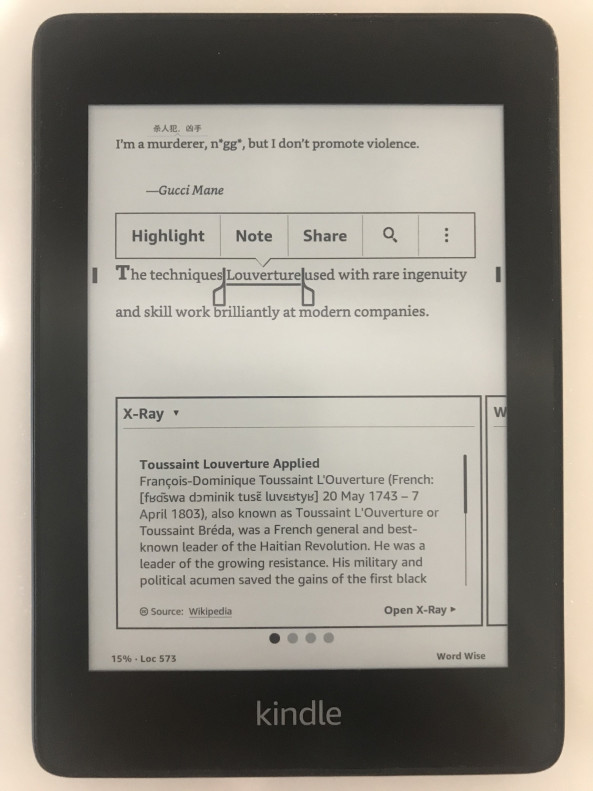
As a non-native English speaker, one of the biggest hurdles that drawing back the reading speed is when you encounter unfamiliar vocabularies. You will have to stop and look up the word in dictionaries, for this, luckily Kindle has the built-in dictionaries for you to lookup the meaning by highlighting the word. If you have an internet connection when highlighting a phrase, Kindle will auto lookup explanation from a different source at the same time: Wikipedia, Google Translated, dictionaries, and X-Ray. (fig. 1)
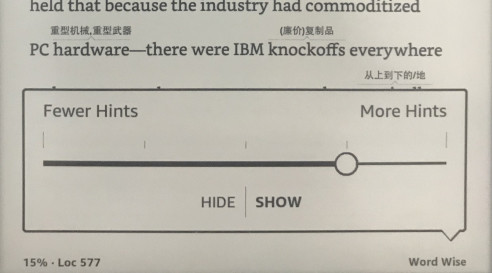
Word-wise on the other hand is automatically displaying translation and hint for difficult words. For me, this feature drastically reduces the time I used to spend when reading an actual paper book. You can set the word-wise appearing frequency as your preference (fig. 2).
Pre-reading
There is a common technique called pre-reading/glimpse-reading in terms of learning, especially in reading non-fiction books. While reading on a paper book, every time before I jump into a new chapter, I will glimpse through the new chapter with very fast speed(few seconds a page), looking for the titles, headings, tables, graphs, numbers, bold text or any interesting thing that catch my eyes. This step is crucial for our mind because it can evoke the inner curiosity before you start to learn.
You probably will have several questions in mind already by glimpsing through the chapter. Having a goal or question to be answered in mind is an important means for reading and absorbing knowledge efficiently.
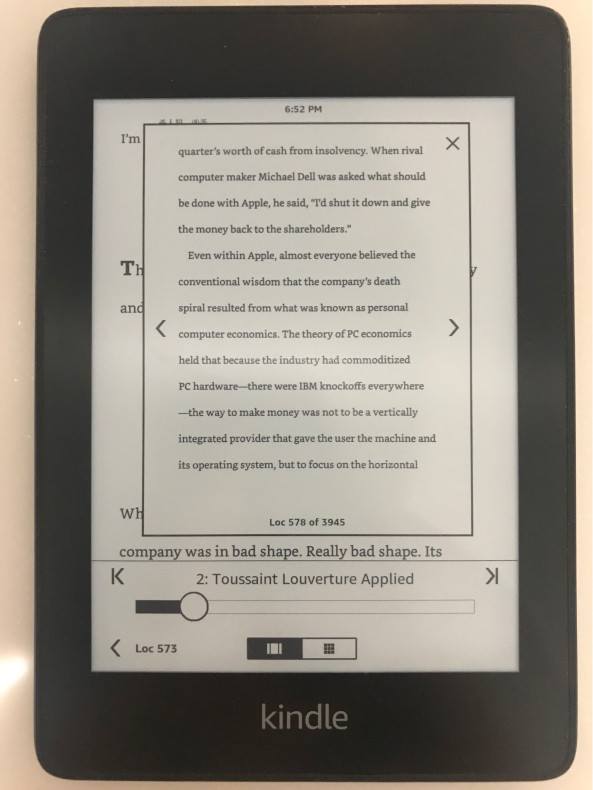
Kindle does provide quick jump feature (fig. 3) to fulfill this need, you can browse the chapter page by page in a quick manner without losing your current location. The solution is far from perfect though, the feeling of turning pages on a real book is hard to compare. You do need a bit of practice to get used to it.
Send to Kindle by E-mail
This is one of the less known features of Kindle. You can send the document you want to read to your Kindle device by sending an email with attachment!
Here are the officially supported file types:
- Microsoft Word (.DOC, .DOCX)
- HTML (.HTML, .HTM)
- RTF (.RTF)
- JPEG (.JPEG, .JPG)
- Kindle Format (.MOBI, .AZW)
- GIF (.GIF)
- PNG (.PNG)
- BMP (.BMP)
- PDF (.PDF)
According to Amazon guide you can convert PDF to AZW(Kindle type) easily:
PDFs can be converted to the Kindle format so you can take advantage of functionality such as variable font size, annotations, and Whispersync. To have a document converted to Kindle format (.azw), the subject line should be "convert" when e-mailing a personal document to your Send-to-Kindle address.
Distraction-free reading experience
Why not read the books over the iPad or any other tablet device?
If you are an easily distracted person like me, this is trivial to answer. Every notification showing up will draws you to the hell of context-switching. No browser, no apps, no internet around you, is probably the best environment for reading.
It’s possible to read Chinese Books bought from other publishers
As a Mandarin speaker, Chinese books are still my main source of reading. There are several Chinese E-book publishers out there in the market: Amazon Kindle TW, Kobo, Readmoo 讀墨, etc..
One of the concerns of buying e-book is you don't own the book. With a real book, you can lend, re-sell, give-away your book as your property, it's a completely different story in the e-book world, the e-books you bought from Kobo or Readmoo can not transfer to your Kindle device trivially due to DRM protection, and vice-versa.
Luckily, with a little effort in googling, you will soon discover tools like Calibre in combination with an open-source project DeDRM. DeDRM allows you to remove the lock the publisher(Amazon, Kobo) put on your e-books, though the topic is out of scope here.
Conclusion
One of the cons I can bring up is, it's pretty hard for one to take note on kindle. Unlike a real book, you can't underline, jotting down the questions or learning you have in the blank space on books(Highlighting paragraph on Kindle is fantastic). I would say pen and paper still work better when taking note. Overall, I'm very satisfied with my Kindle Paperwhite.